Rule of Thirds (1)
Posted on December 3, 2015
All these images place the subject in either the left or right one-third of the image and, I think, are more effective than they would be if they were simply centred. Roll over each image for further explanation.


Weekly Photo Challenge: Transition
Posted on November 28, 2015
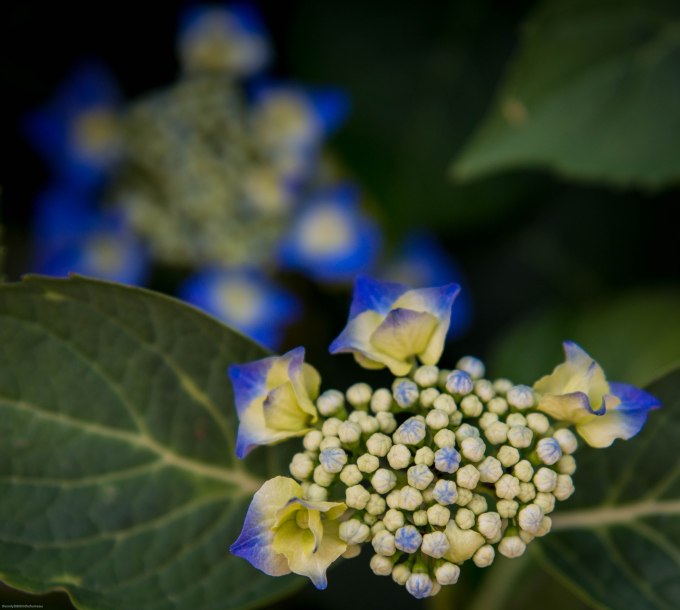
There are two types of transition in this image, taken outside the church at Montrol-Sénard: from buds to fully-opened flowers and from the soft focus at the rear to the much sharper front closer to the viewer.
Before & After: Oryx
Posted on November 27, 2015
For me, post-processing is equally as important as capturing the image in the first place, and some judicious editing can elevate a mundane photo into something that’s of greater aesthetic appeal and so, hopefully, of at least passing interest.
I’ve decided to begin participating in the weekly After Before Forum, hosted by Aperture64. This entails posting two versions of the same photograph: the ‘before‘, as shot, and the ‘after‘, once that original has been edited. Here’s my first contribution.
The Original Image

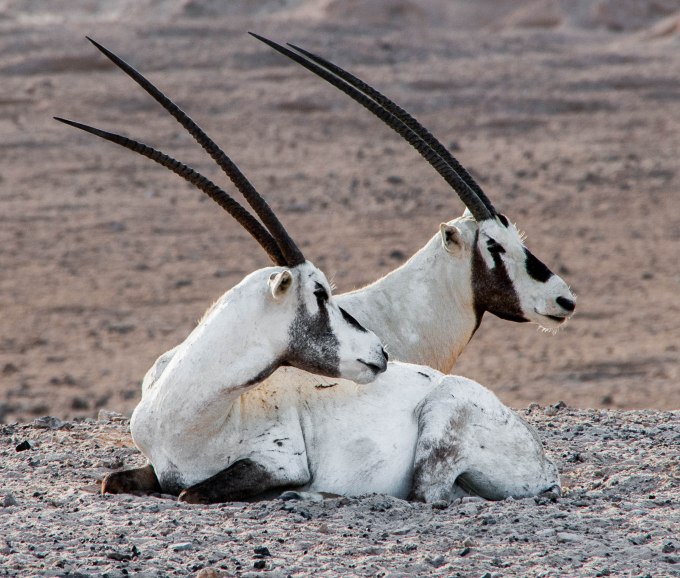
This was taken on the Sir Bani Yas Island nature reserve in the United Arab Emirates and is of a pair of Arabian oryx, a previously endangered species that now roams freely on Sir Bani Yas, thanks to some major conservation efforts. What lifts this particular shot out of the ordinary, for me, is the matching ‘pose’ of the two animals.
The Editing
For editing I principally use Lightroom. I have a Creative Cloud subscription, which also gives me access to Photoshop, although I use this comparatively rarely (I keep telling myself that one day I’ll get to grips properly with Photoshop, but it hasn’t happened yet).
I always begin the editing process with some straightening, when necessary. This eliminates what can be an irritating distraction (especially in landscapes and – even more so – seascapes). This particular image has been very slightly levelled out.
After this comes cropping. The purpose of cropping is to remove, as much as possible, anything that detracts from the actual subject of the photograph. There was a case for leaving the oryx in a more expansive landscape, but having taken the view that the pose was the real subject, I decided on a closer crop with clear focus on the animals themselves.
Only when you’re happy with the composition of the image is there much point, in my view, in trying to get it to look as good as possible.
The enhancement of the image is very largely a process of trial and error. The camera’s own settings – other than in special circumstances I use Aperture-Priority mode – almost always deliver a correct exposure, so it’s really a matter of working through the Menu items in Lightroom’s Development mode.
Of these the first is the most important, so I spend the most time on playing around with the various Tone sliders – Highlights, Shadows, Whites and Blacks – while keeping one eye on the histogram and the other on the image itself (no mean trick if, like me, you’re basically one-eyed). It’s fascinating to see how much more detail can be coaxed out of a RAW file (I always shoot in RAW) with these adjustments.
Occasionally, this process throws up some jarring colour casts, which I’ll correct using the individual ‘Color’ sliders. As it happens, there was an odd blue tinge to the white fur, which I eliminated by taking down the Blue saturation. Since there’s no real blue in the image – none that ought to be there, at any rate – this doesn’t detract from anything else.
Once I’m happy with the result of all this, I move on to the Presence part of the Menu (Clarity, Vibrance and Saturation). To be perfectly honest, I find that the ‘Punch’ preset in Lightroom does a pretty good job. That’s +30 on Clarity and +25 on Vibrance. Of course, it can be tweaked further from there.
Likewise, since I’m not sure I really understand Sharpening, I tend to defer to Lightroom’s ‘Sharpen’ pre-sets. Finally, I might experiment with the Noise Reduction sliders, but noise isn’t usually a problem in even halfway decent light conditions. I think it’s important to remember that even though you have a lot of adjustment tools at your disposal, you don’t have to use them all, just for the sake of it.
The Final Image
Sea Eagle
Posted on November 26, 2015
This is a sea eagle – whose feathers are black and white to begin with – taken at a display of birds of prey in the Dordogne.

Thursday Doors: Chartres
Posted on November 26, 2015
There’s more than one way to look at a door, as this image illustrates. This is one of the massive doors of Chartres Cathedral – as seen by a mouse, perhaps.
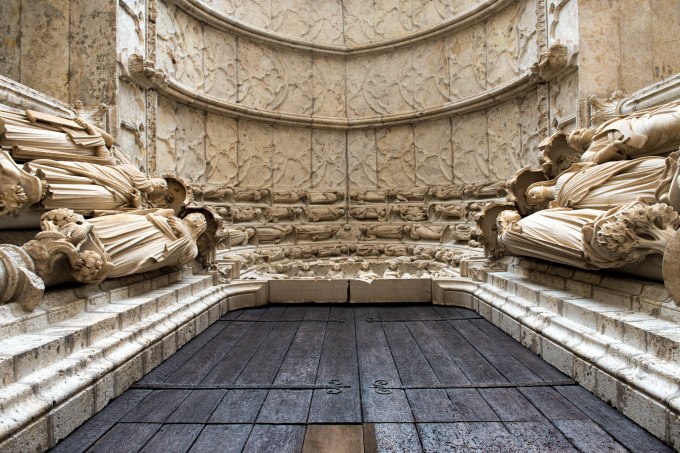
As a free gift, here’s another door from Chartres, which I used in a recent post on Vertical Lines for Cee’s Compose Yourself Photo Challenge.

Diagonal Lines
Posted on November 25, 2015
The interesting part of this challenge is that many diagonal lines are also leading lines. Since we’ve already ‘done’ leading lines, I’ve tried to come up with some images that are all about the diagonal itself, rather than them being, even incidentally, leading lines too.
I think this is my favourite of this week’s selection:
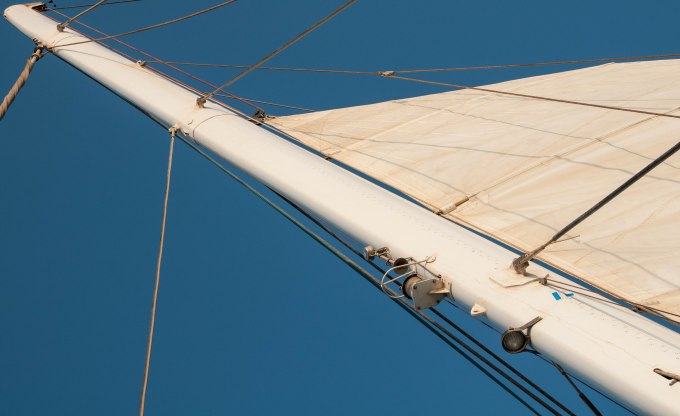
The mast of a catamaran
And here are a couple of others:


And here are a couple of what Cee described as ‘implied diagonals’:


Finally, my favourite images from earlier contributions to this thread. The first from the Vertical Lines challenge and the one on the right from Leading Lines (which, neatly enough, is also an implied diagonal):


Weekly Photo Challenge: Trio
Posted on November 21, 2015
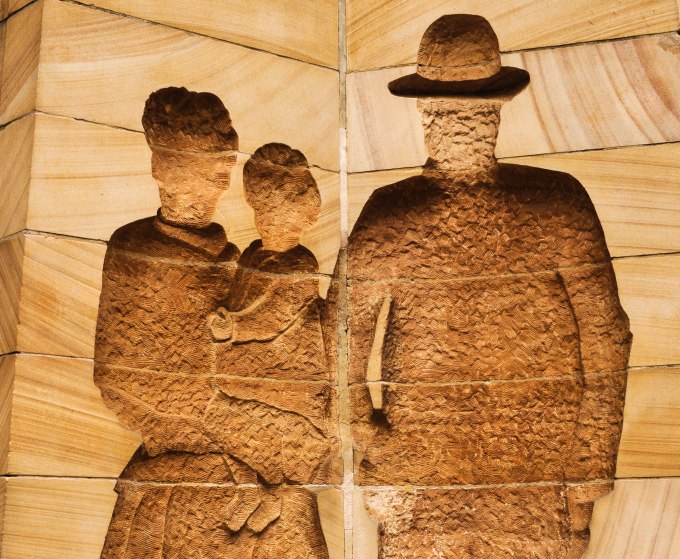
This photograph was taken at Circular Quay in Sydney, and is a detail from a sculpture depicting a settler family. It’s one of a series that commemorates Australia’s early days.
Aerobatics
Posted on November 20, 2015
There’s a permanent debate among photographers about the acceptability of post-processing. Purists equate any form of editing with cheating, while others argue that there is nothing wrong with getting creative with an ‘as-shot’ image.
I must say that my sympathies are with the latter group. Of course you should try to take the best shot you can in the first place, but whether your post-processing goes no further than a crop and a bit of sharpening, or you go to town and create a virtually new image, it’s the end-product that matters, as with my before-and-after images in my recent post on Vertical Lines.
This image (taken at the nearby Blond Airshow a couple of years ago) has – quite obviously – been doctored. But believe me, whatever merits it may or may not have, it’s a lot more interesting than the original.

Thursday Doors: Navaleuil
Posted on November 19, 2015
My first contribution to the Thursday Doors challenge hosted by Norm 2.0.
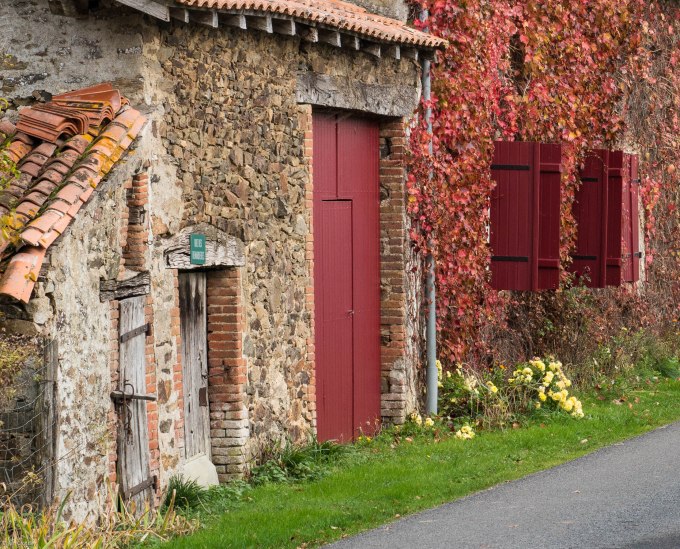
This matching door and shutters can be found in the hamlet of Navaleuil, about two kilometres from home here at Tranquility Base. Compared to the smaller doors on the left, it also shows what a difference a lick of paint can make.
Thursday Doors November 19th 2015
Vertical Lines
Posted on November 18, 2015
This week, we try to demonstrate the importance of vertical lines in composition. To begin with, here’s my personal favourite from the selection for this post:

An abacus in the old schoolroom at Montrol-Senard. It wouldn’t be the same shot if the column second from the right wasn’t slightly askew.
A collection of other verticals:


Now, two photographs of the same scene, one in landscape, the other in portrait. Unsurprisingly, the vertical represented by the tyre-tracks is a much stronger element in the portrait version; this makes sense because it’s the tyre-track that’s the real subject, and the trees in the landscape version are just a distraction:


Now, for the vertical line that doesn’t really work in the original, here is a ‘before and after’ from Chartres Cathedral. The vertical is obviously where the door meets the wall, but in the original the thing (whatever it is) halfway down the left side of the image is a distraction and, more importantly, because it’s an open doorway shot from the inside, the exterior has been blown out.
However, cropped to remove the distraction, as well as some of the dead space at the top (which also helps to preserve the original image constraints), and with a bit of tweaking of the tone curve, I think it’s a far superior image:


Top Posts & Pages


 theonlyD800inthehameau