theonlyD800inthehameau
Photography by theonlydeadheadinthehameau
Feeding Time
Posted on February 4, 2016
Never having been one for sharing pictures of my dinner with the world (what exactly is Instagram anyway?), Cee’s chosen subject for this week of ‘Food’ had me stumped initially, notwithstanding that over on my other blog I had recently posted a picture of my take on a deconstructed curry.
But then it occurred to me that it didn’t have to be food for humans, so here’s a close-up of a giraffe grazing on whatever it is that giraffes eat.

Thursday Doors: Abu Dhabi
Posted on February 4, 2016
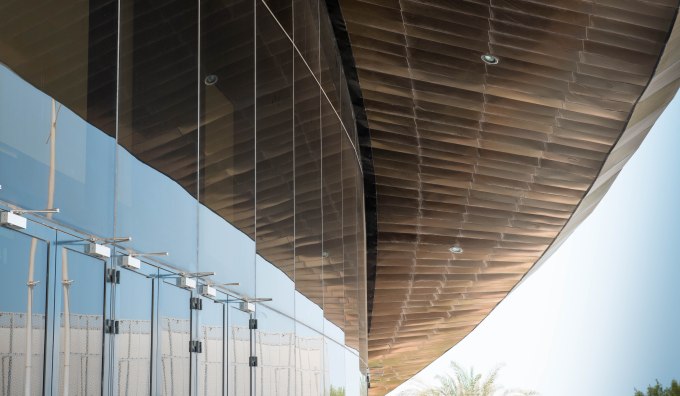
This is part of the dramatic entrance to the Manarat Al Saadiyat Exhibition Centre in Abu Dhabi.
The Lantern
Posted on January 14, 2016
For this week’s subject of ‘Lights’, here is a traditional lantern that hangs over the terrace of the Royal Villa (boy, was that ever a free upgrade) at the Sir Baniyas Hotel in Abu Dhabi. The shadow is a bonus.

Before & After: Sunset
Posted on January 8, 2016
Sunsets can be highly dramatic subjects, but they can also be the devil’s own work to get right, because the sun itself is almost inevitably over-exposed and leaves everything else devoid of detail.
Before
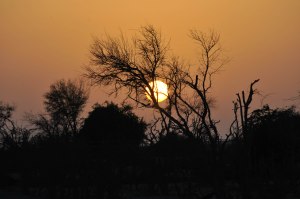
This photograph was taken at dusk, looking over the giraffe enclosure of the nature reserve on Sir Bani Yas island. Capturing it was pretty much a case of point and click – the sun sets very quickly so close to the tropics. As it stands, it’s not a bad image, but I thought it would be interesting to see what could be done in the way of post-processing to improve it.
After

- Although it works reasonably well with the sun slap bang in the middle of the picture, I cropped so as to put it on one of the classic ‘rule of thirds’ intersections.
- In the process, this also eliminated much of the dark foreground, which didn’t contain anything of interest. It also brings to the fore the bare silhouetted branches that are the really interesting element of the image.
- Hovering the magnifying glass in Lightroom’s Develop mode over the brightest part of the sun’s disc confirmed that it was completely blown out, with all three of the Red, Green and Blue readings at 100%, or as near as makes no difference. Moving the Whites slider all the way to -100 actually reduced this figure to around 75%, which is at least some improvement.
- I also played around a bit with the Orange channel in the colour palette top provide a warmer overall cast.
By the way, did anybody else spot the bird sitting on the branch (at about 7 o’clock if the sun was a clockface)? I didn’t see it at all until I’d completed the editing.
The two towers
Posted on January 8, 2016
The headquarters of the Abu Dhabi Investment Authority are in a building comprising two towers, about 35 storeys high, linked by a spectacular atrium. Here is a detail (sorry Cee, not the whole thing):

Perspective
Posted on January 7, 2016
Four images that demonstrate the theme of perspective for Cee’s Compose Yourself Photo Challenge this week:

This detail of an old dhow drawn up on the waterfront in Abu Dhabi contrasts with the modern skyscrapers in the background.
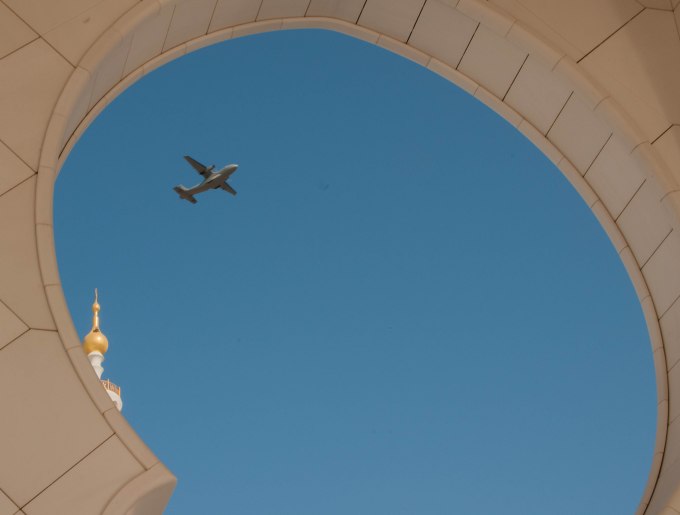
Still in Abu Dhabi, this aircraft was flying over the Sheikh Zayed Grand Mosque when I happened to be there.
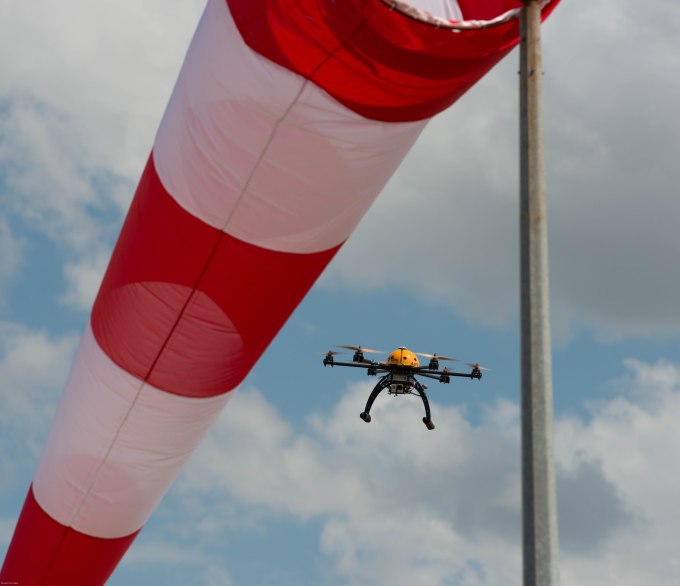
The red and white striped windsock at the Blond airstrip is a striking image in itself, but so is the drone behind it.

From a photographic perspective you can debate whether it’s the baby or the cake that’s the subject of this picture, but there’s only one subject that my grandson was interested in on his first birthday.
Rule of Thirds (2)
Posted on December 10, 2015
To be honest, finding ‘ready-made’ images that occupy two-thirds of the picture was a bit of a challenge. That probably just goes to show that I am (or was) too wedded to sticking the subject in the middle of the photograph as a matter of course. Still, a bit of creative cropping did the job.
This week, I have three pairs of similar images illustrating the 2/3rds theme (hover over the image and caption for a fuller description).
To begin with, a couple of archways:


And here are two water-based scenes:


And finally (appropriately) two sunsets:


Cee’s Compose Yourself Challenge: Using 2/3rds of your photo frame
Weekly Photo Challenge: Eye Spy
Posted on December 5, 2015
It seemed a bit too obvious to submit a photograph of actual eyes for this week’s challenge, so here’s a picture of my grandson – on his first visit to Abu Dhabi, at a very young age – wearing a very quizzical look and his shades (man).

Rule of Thirds (1)
Posted on December 3, 2015
All these images place the subject in either the left or right one-third of the image and, I think, are more effective than they would be if they were simply centred. Roll over each image for further explanation.


Before & After: Oryx
Posted on November 27, 2015
For me, post-processing is equally as important as capturing the image in the first place, and some judicious editing can elevate a mundane photo into something that’s of greater aesthetic appeal and so, hopefully, of at least passing interest.
I’ve decided to begin participating in the weekly After Before Forum, hosted by Aperture64. This entails posting two versions of the same photograph: the ‘before‘, as shot, and the ‘after‘, once that original has been edited. Here’s my first contribution.
The Original Image

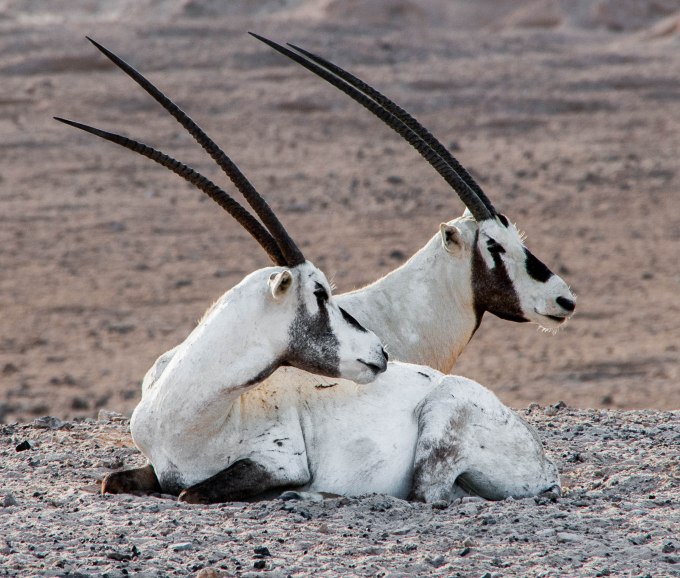
This was taken on the Sir Bani Yas Island nature reserve in the United Arab Emirates and is of a pair of Arabian oryx, a previously endangered species that now roams freely on Sir Bani Yas, thanks to some major conservation efforts. What lifts this particular shot out of the ordinary, for me, is the matching ‘pose’ of the two animals.
The Editing
For editing I principally use Lightroom. I have a Creative Cloud subscription, which also gives me access to Photoshop, although I use this comparatively rarely (I keep telling myself that one day I’ll get to grips properly with Photoshop, but it hasn’t happened yet).
I always begin the editing process with some straightening, when necessary. This eliminates what can be an irritating distraction (especially in landscapes and – even more so – seascapes). This particular image has been very slightly levelled out.
After this comes cropping. The purpose of cropping is to remove, as much as possible, anything that detracts from the actual subject of the photograph. There was a case for leaving the oryx in a more expansive landscape, but having taken the view that the pose was the real subject, I decided on a closer crop with clear focus on the animals themselves.
Only when you’re happy with the composition of the image is there much point, in my view, in trying to get it to look as good as possible.
The enhancement of the image is very largely a process of trial and error. The camera’s own settings – other than in special circumstances I use Aperture-Priority mode – almost always deliver a correct exposure, so it’s really a matter of working through the Menu items in Lightroom’s Development mode.
Of these the first is the most important, so I spend the most time on playing around with the various Tone sliders – Highlights, Shadows, Whites and Blacks – while keeping one eye on the histogram and the other on the image itself (no mean trick if, like me, you’re basically one-eyed). It’s fascinating to see how much more detail can be coaxed out of a RAW file (I always shoot in RAW) with these adjustments.
Occasionally, this process throws up some jarring colour casts, which I’ll correct using the individual ‘Color’ sliders. As it happens, there was an odd blue tinge to the white fur, which I eliminated by taking down the Blue saturation. Since there’s no real blue in the image – none that ought to be there, at any rate – this doesn’t detract from anything else.
Once I’m happy with the result of all this, I move on to the Presence part of the Menu (Clarity, Vibrance and Saturation). To be perfectly honest, I find that the ‘Punch’ preset in Lightroom does a pretty good job. That’s +30 on Clarity and +25 on Vibrance. Of course, it can be tweaked further from there.
Likewise, since I’m not sure I really understand Sharpening, I tend to defer to Lightroom’s ‘Sharpen’ pre-sets. Finally, I might experiment with the Noise Reduction sliders, but noise isn’t usually a problem in even halfway decent light conditions. I think it’s important to remember that even though you have a lot of adjustment tools at your disposal, you don’t have to use them all, just for the sake of it.
The Final Image

Top Posts & Pages


 theonlyD800inthehameau